Free Skill
linkedin-tech-carousel: one mechanism, three slides
A Claude skill that turns one technical idea into a 3-slide LinkedIn carousel with a real diagram on every slide: a swipeable PDF, PNGs at exact feed size, and post copy ready to paste.
Three slides is a tight limit, and that is the point. A LinkedIn reader gives slide 1 about two seconds. If it earns a swipe, they read slide 2 properly, and slide 3 is what they remember. linkedin-tech-carousel is built around that arc.
Ask Claude to "explain Kafka idempotence as a carousel" or "turn this Spark shuffle explanation into 3 slides for LinkedIn". It works for any engineering topic: distributed systems, databases, data pipelines, cloud, ML internals, networking, security.
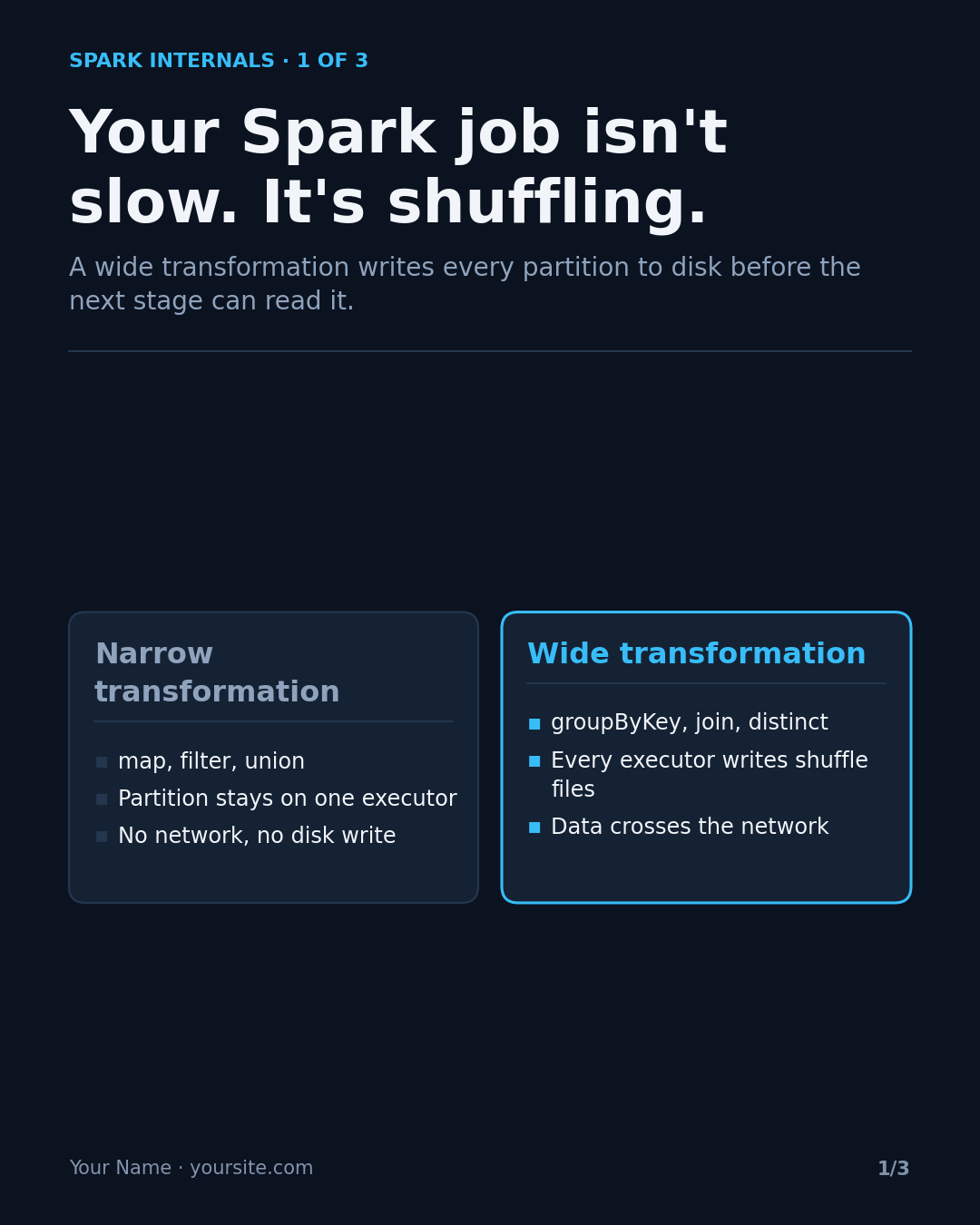
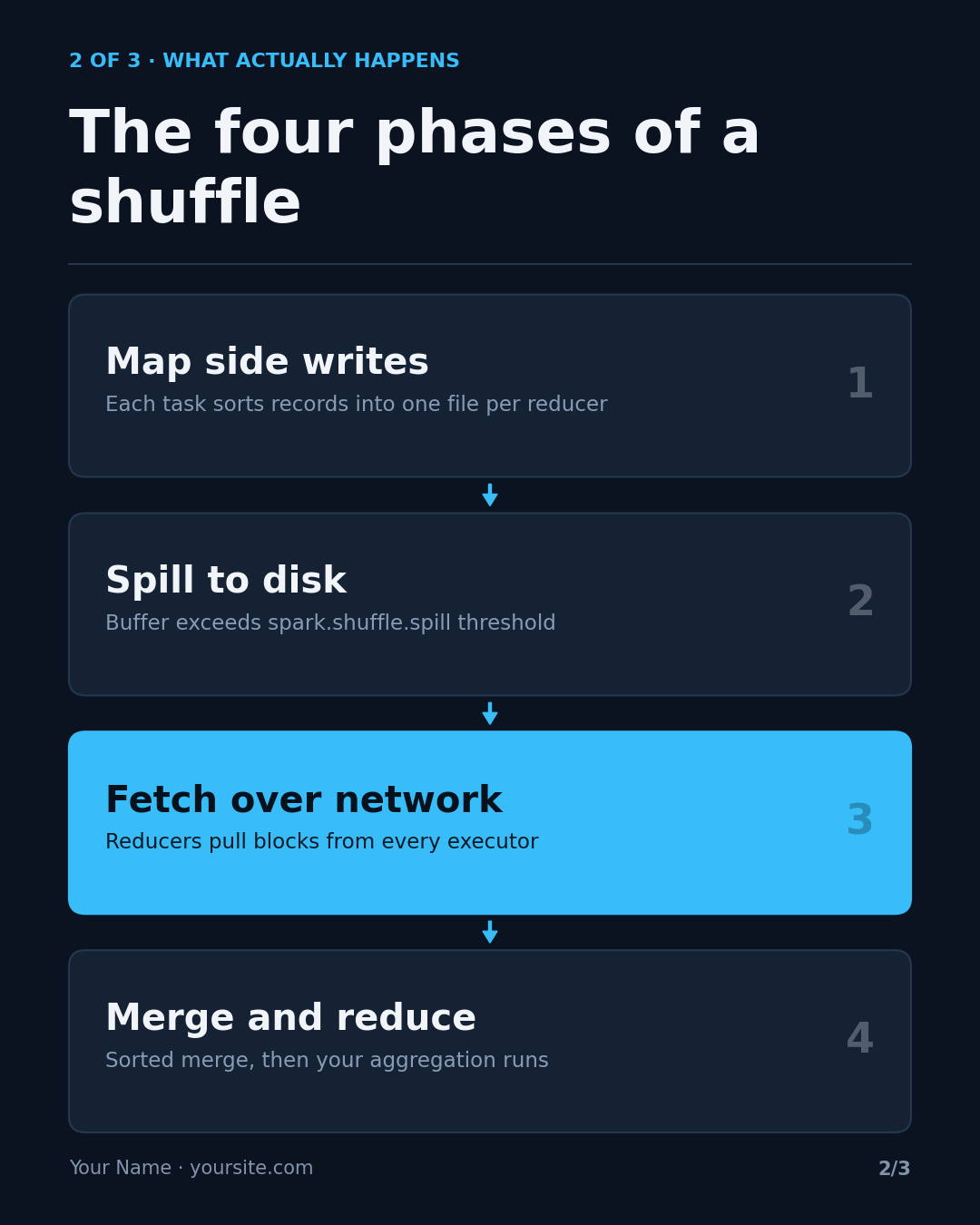
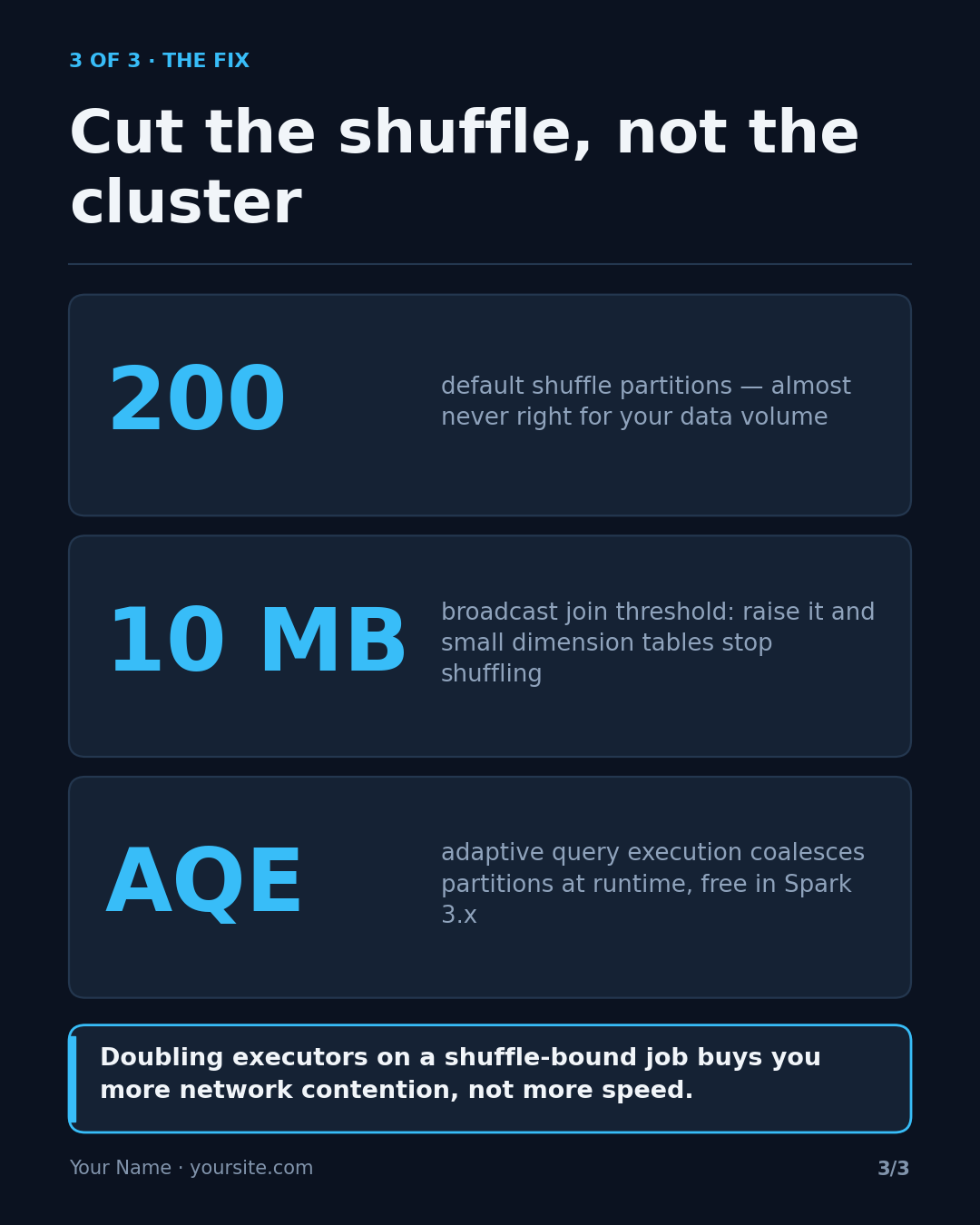
One mechanism per deck
Broad topics produce three slides of definitions, and nobody swipes through definitions. So the skill narrows the topic itself. "Explain Kafka" becomes "why acks=all alone doesn't stop duplicates", and it tells you which slice it picked.
Each slide then has one job:
- Slide 1, the hook: a recognisable pain or a claim that sounds slightly wrong. "Your Spark job isn't slow. It's shuffling." It never opens with a definition.
- Slide 2, the mechanism: the steps a working engineer needs, with real config keys and real numbers.
- Slide 3, the payoff: what the reader does differently tomorrow, such as a setting, a threshold or a rule, plus one sentence worth quoting.
Word budgets keep each slide readable: a title of 12 words at most, node labels of five, and 120–160 words across the whole deck.
Claude writes, a script draws
The skill works in two steps:
- Claude writes the words and a JSON spec. For each slide it picks a layout from eight:
flow,stack,compare,steps,bars,code,huborstat. It highlights exactly one element per slide. - A Python script renders the deck:
render_deck.py spec.json --out-dir out. Claude then looks at every PNG. matplotlib shrinks text instead of cutting it off, so the only way to catch an overfull slide is to look at it. The fix is fewer words, not a smaller font.
“Getting the words right is the whole job. The renderer is just typesetting.”
Make it yours
- Footer: set
"footer": "Your Name · yoursite.com"in the spec. The example above still shows the placeholder. - Themes:
midnight(navy and cyan, the default),carbon(near-black and violet) orpaper(off-white and blue, for print). - Write the spec yourself: every layout and field is documented in
references/layouts.md, so you can skip Claude and run the renderer directly.
You need Python 3 and matplotlib; everything else is the standard library. If the Liberation fonts aren't installed, matplotlib falls back to your system fonts.